Quick Start
This guide walks you through running your first LangGraph graph on Temporal.
Prerequisites
- langgraph-temporal installed
- A running Temporal server (see Installation)
Step 1: Define your graph
Create a standard LangGraph StateGraph. Nothing changes here — use the same API you already know:
from typing import TypedDict
from langgraph.graph import END, START, StateGraph


class State(TypedDict):
    message: str
    step_count: int


def process(state: State) -> dict:
    return {
        "message": f"Processed: {state['message']}",
        "step_count": state.get("step_count", 0) + 1,
    }


def validate(state: State) -> dict:
    return {"message": f"Validated: {state['message']}"}


builder = StateGraph(State)
builder.add_node("process", process)
builder.add_node("validate", validate)
builder.add_edge(START, "process")
builder.add_edge("process", "validate")
builder.add_edge("validate", END)

graph = builder.compile()
Step 2: Wrap with TemporalGraph
Connect to Temporal and wrap your compiled graph:
from temporalio.client import Client as TemporalClient
from langgraph.temporal import TemporalGraph

client = await TemporalClient.connect("localhost:7233")

tg = TemporalGraph(
    graph,
    client,
    task_queue="my-queue",  # Workers listen on this queue
)
Step 3: Start a Worker and invoke
The Worker executes your graph nodes as Temporal Activities:
import asyncio
from temporalio.worker import UnsandboxedWorkflowRunner

async def main():
    # ... (graph + TemporalGraph setup from above)

    worker = tg.create_worker(
        workflow_runner=UnsandboxedWorkflowRunner(),
    )

    async with worker:
        result = await tg.ainvoke(
            {"message": "hello"},
            config={"configurable": {"thread_id": "run-1"}},
        )

    print(result)
    # {"message": "Validated: Processed: hello", "step_count": 1}

asyncio.run(main())
Why UnsandboxedWorkflowRunner?
LangGraph imports modules that are restricted by Temporal's default workflow sandbox. UnsandboxedWorkflowRunner() disables the sandbox. This is required for all langgraph-temporal workers.
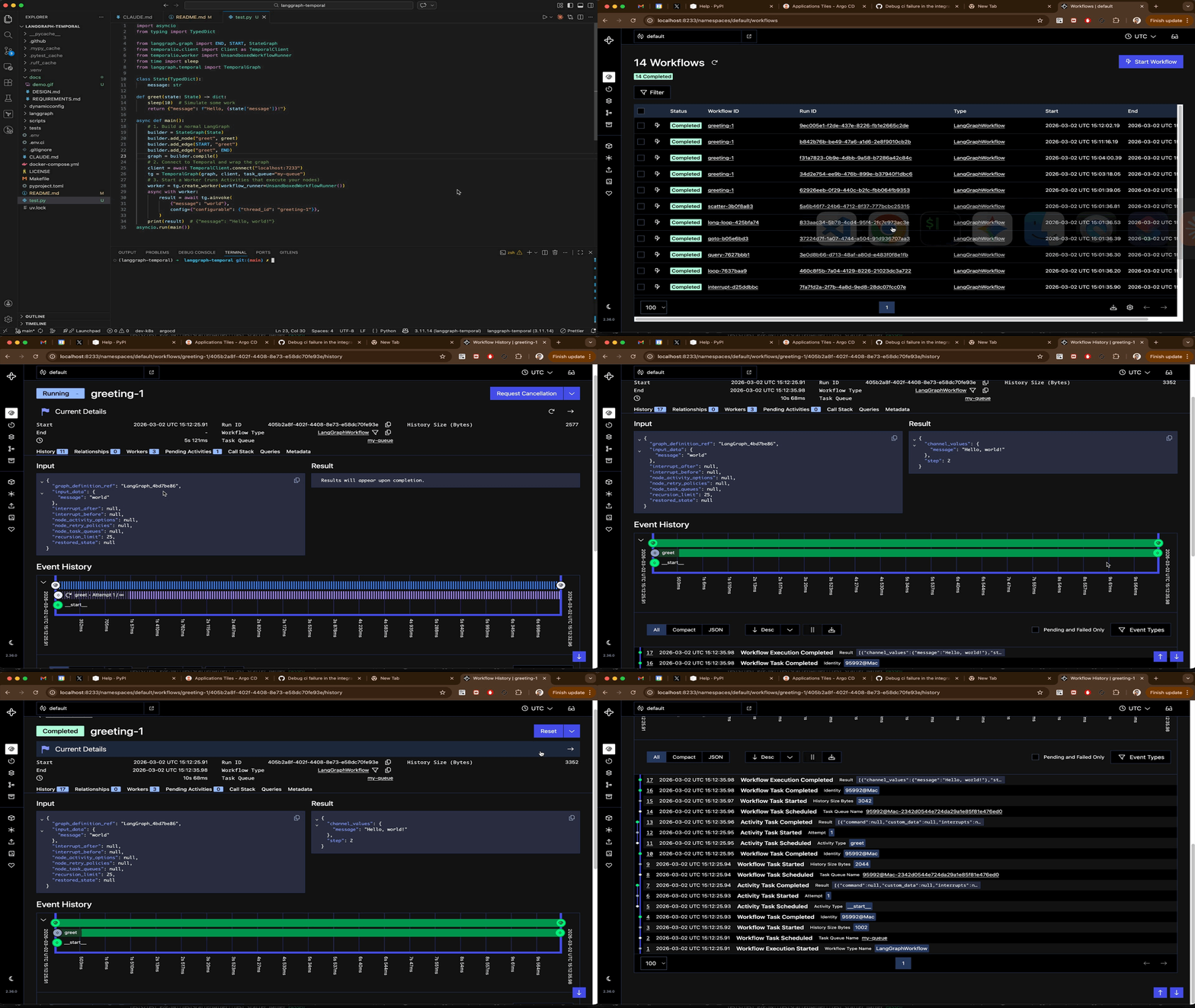
Step 4: View in Temporal UI
Open http://localhost:8233 to see your workflow execution, including:
- Each node execution as an Activity
- Input/output payloads
- Full event history
- Timing information
Local development shortcut
For quick testing without setting up a Temporal server, use the built-in test server:
tg = await TemporalGraph.local(graph)

worker = tg.create_worker(
    workflow_runner=UnsandboxedWorkflowRunner(),
)
async with worker:
    result = await tg.ainvoke({"message": "hello"})
TemporalGraph.local() starts an in-process Temporal test server automatically.
What's next?
- Core Concepts — understand how graphs map to Temporal primitives
- Human-in-the-Loop — pause workflows for approval
- Worker Affinity — pin Activities to specific workers
- API Reference — full
TemporalGraphAPI